I have ADHD. My working memory is a colander. I forget what I was doing three minutes ago if a gecko runs across my ceiling — and I live in Thailand, so that happens a lot.
Six months ago, I just wanted Claude to stop forgetting things between sessions. Today I have a system that manages 13 projects, sends me Telegram notifications at 3 AM when an AI agent finishes a task, and occasionally reminds me to eat.
Here’s how that happened.
Table of contents
Open Table of contents
- The Numbers
- The Architecture
- Layer 1: The Foundation
- Layer 2: Skills — Teaching Claude New Tricks
- Layer 3: Agents — Specialized Personalities
- Layer 4: Hooks — The Nervous System
- Layer 5: Memory — The Part Everyone Gets Wrong
- Layer 6: The Autonomous Team
- The Custom Statusline
- What Broke Along the Way
- What I’d Do Differently
- Is This Worth It?
The Numbers
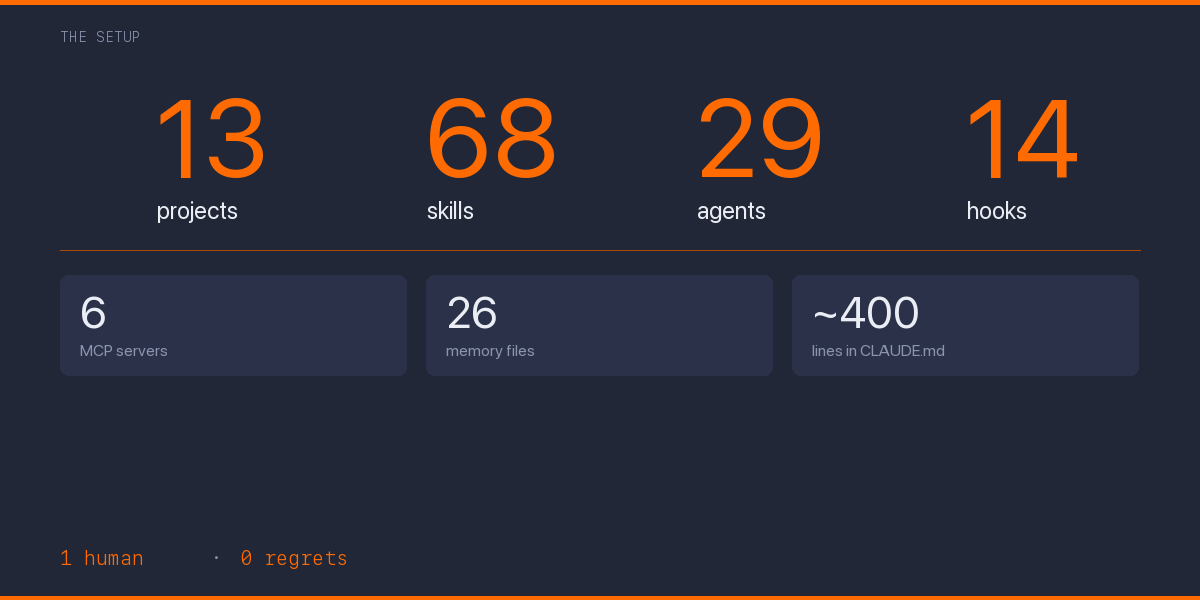
Before we get into how, let me hit you with what:
| What | Count |
|---|---|
| Projects in registry | 13 (11 active) |
| Custom skills (slash commands) | 68 |
| Specialized agents | 29 |
| Global hooks | 14 |
| MCP servers | 6 |
| Memory files | 26 |
| Knowledge graph entities | 18 |
| Lines in global CLAUDE.md | ~400 |
This isn’t a flex. Okay, it’s a little bit of a flex. But mostly it’s the natural consequence of a person with ADHD discovering they can offload their executive function to a config file.
The Architecture
The system has six layers, stacked like a cake that I keep adding frosting to:
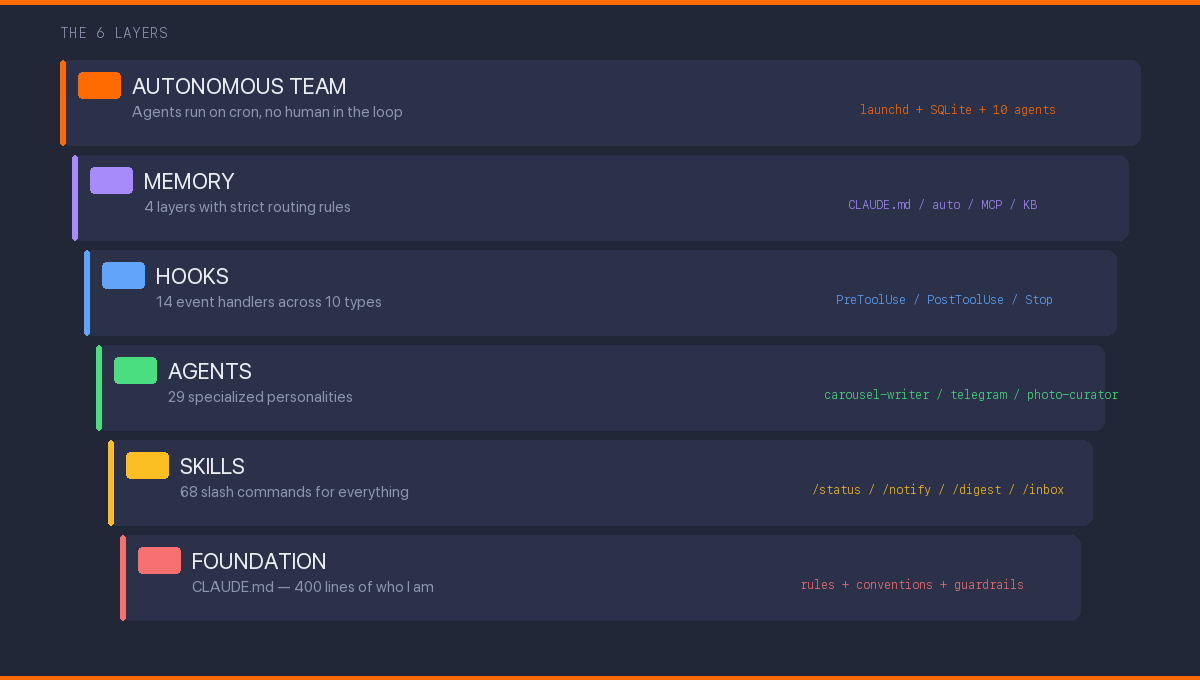
Each layer solves a different problem. Each one took me embarrassingly long to figure out.
Layer 1: The Foundation
Everything starts with CLAUDE.md — a file that tells Claude Code who I am and how I work. Think of it as a .bashrc for your AI assistant, except it understands natural language and can hold opinions.
My global ~/.claude/CLAUDE.md is ~400 lines covering:
- Communication rules: Russian for creative work, English for code. Direct style, no hedging
- Task delegation: When to use Opus (main conversation) vs Sonnet (subagents) vs Haiku (health checks)
- Memory architecture: Four layers with strict routing rules — what goes where
- Quota management: Decision matrix based on 5h and 7d usage percentages
- AI coding guardrails: Verify every import exists, never
awaitin loops, etc.
Each project gets its own CLAUDE.md on top. Kairos Press (my content engine) has a 600+ line file covering Instagram carousel rendering, Telegram voice rules, photo management, and cross-platform publishing schedules.
The irony: teaching an AI to be consistent took more self-reflection than 5 years of therapy. Turns out you can’t write rules for how you think until you actually know how you think.
Layer 2: Skills — Teaching Claude New Tricks
Skills are slash commands. Type /morning-brief and Claude checks your content calendar, analyzes what you posted yesterday, suggests what to post today, and reminds you about optimal posting times for your timezone.
The ones I actually use daily
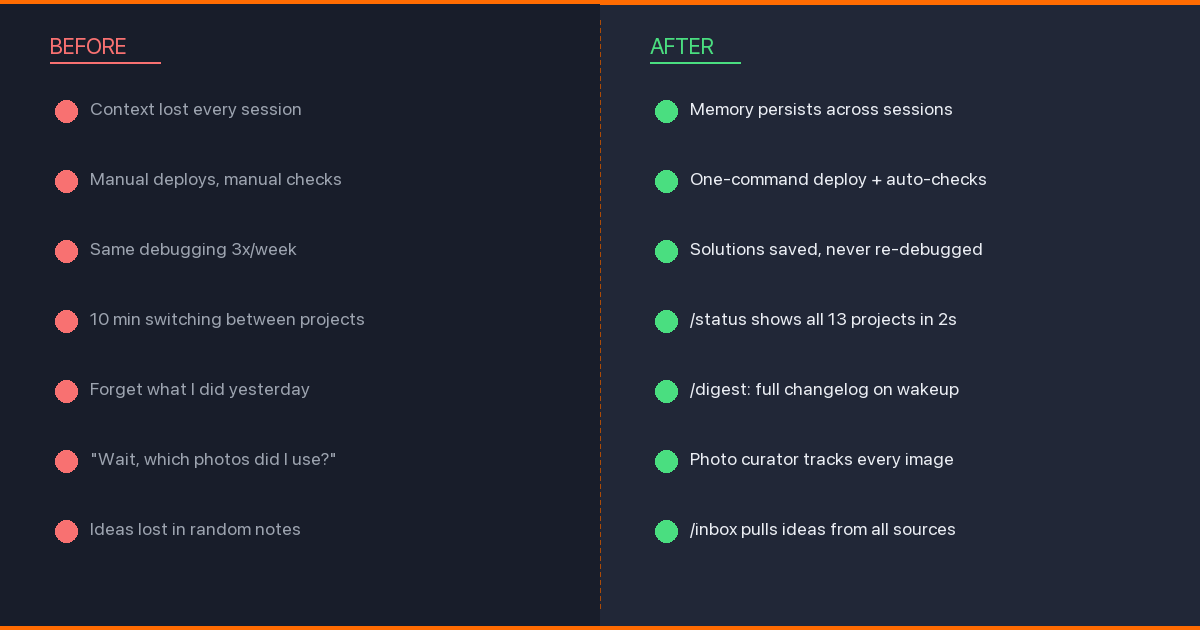
/status — Cross-project task aggregation. A Python script reads every project’s task board and outputs a unified dashboard. Takes 2 seconds, replaces 10 minutes of context-switching.
/notify — Sends a message to my Telegram bot. Sounds simple. Changes everything. Claude can now tell me “deploy finished” or “tests passed” without me watching the terminal. I went from staring at build logs to making tea while things compile. The ROI is measured in cortisol reduction.
/inbox — Pulls unread Telegram messages, transcribes voice messages via Whisper, downloads photos. I can ask Claude “what did I miss?” and get a summary.
/digest — Daily briefing across all 13 projects. Recent commits, active tasks, stale work, blocked items. I run this every morning with coffee. For someone with ADHD, having a single “here’s everything” command is the difference between a productive morning and two hours of tab-switching.
The creative ones
/new-tg-post — Creates a Telegram post in my authentic voice. This required teaching Claude my exact writing patterns: mandatory CAPS phrases, ellipses every 100 words, bracket remarks, unfinished endings. It took weeks of calibration. Claude’s first attempts sounded like a motivational Instagram account. I had to tell it to add more swearing and fewer conclusions.
/carousel-evaluate — Scores my Instagram carousels on 8 dimensions (hook, readability, balance, rhythm, arc, craft, unity, CTA) with a total out of 40. Anything below 28 gets reworked.
/evaluate — Meta-skill that scores my Claude Code setup itself. 9 dimensions, 4-tier rubrics, penalty multipliers. Yes, I built a tool to evaluate the quality of my tool-building. This is either peak engineering or peak procrastination, and I genuinely don’t know which.
Layer 3: Agents — Specialized Personalities
Agents are like skills but with memory, context, and a specific personality. I have 29 across all projects.
carousel-writer — Writes slide copy matching my creative voice. Knows about Instagram algorithm signals (sends > saves > likes), Zeigarnik effect for swipe hooks, and the engagement dip in slides 4-7.
content-critic — Evaluates carousels from a reader’s perspective. Deliberately antagonistic. If a hook doesn’t stop the thumb-scroll, it says so. I once asked it to review something I’d spent two hours on and it responded with a 3/10 and “the hook is a Wikipedia summary.” It was right.
photo-curator — Manages my photo library. Tracks which photos are posted, which are available, suggests candidates based on era (short-hair vs long-hair — yes, this matters for personal brand continuity), mood, and color palette compatibility with carousel styles.
telegram — Writes blog posts in my Telegram voice. This agent has internalized my SOUL rules: swearing as speech element, English code-switching, live-thinking connectors (“то есть”, “в смысле”), and the iron rule that posts never end with clean conclusions. I write in Russian for my Telegram audience, and getting Claude to swear naturally in Russian was one of the harder engineering challenges of my career.
Layer 4: Hooks — The Nervous System
14 hooks across 10 event types. This is where it gets interesting.
block-secret-commit.sh (PreToolUse) — Scans every staged diff for private keys. Catches Stripe sk_live_*, AWS AKIA*, PEM headers, and hex strings longer than 64 characters. Blocks git add . entirely — you must add files by name. This hook has saved me at least three times that I know of.
telegram-stop-notify.sh (Stop) — When Claude finishes a long task, my Telegram bot pings me. I can go make tea, go swimming, walk the dog — and come back to a finished task. On Phangan, this means I occasionally get “deploy finished” pings while floating in the ocean.
typecheck-on-edit.sh (PostToolUse) — In my TypeScript project, every file edit triggers tsc --noEmit. Errors appear instantly in Claude’s context. No more “oops, that doesn’t compile.”
session-start.sh (SessionStart) — Shows project, branch, and dirty files when a conversation begins. Claude knows where it is before I say a word.
Layer 5: Memory — The Part Everyone Gets Wrong
Most people treat Claude Code memory as a notepad. I treat it as a database with four distinct layers:
| Layer | What | When loaded |
|---|---|---|
| CLAUDE.md | Rules, conventions | Every session (auto) |
| auto-memory | Session discoveries, project state | Every session (first 200 lines) |
| memory-mcp | Cross-project facts, people, preferences | On demand |
| External KB | Journal, books, reference archive | On demand |
The key insight: strict routing rules. Coding standards go in CLAUDE.md, not memory. User preferences go in the knowledge graph, not auto-memory. What Claude did last session goes in auto-memory, not CLAUDE.md.
I spent two weeks untangling duplicated knowledge across layers. Claude would confidently tell me one thing from CLAUDE.md and the opposite from auto-memory. Imagine debugging your AI assistant’s split personality at 2 AM because you put the same preference in two places with slightly different wording. That’s what mixing layers does.
Layer 6: The Autonomous Team
This is the part that sounds like science fiction but runs on a launchd timer.
auto-claude-team is a fully autonomous system: a timer fires every 5 minutes, a dispatcher selects the right agent, and the agent runs via claude -p with its own tools and context. 10 specialized agents — Sage, Builder, Guardian, Scout, Analyst, Judge, Oracle, Pixel, Catalyst — coordinate through SQLite WAL and a Maildir-style mailbox.
No human in the loop. The Guardian agent monitors for regressions. The Analyst does market research. The Builder ships code. I wake up to a changelog.
The first week was chaos. Agents would step on each other’s changes. The Scout would find issues that the Builder would try to fix, creating new issues for the Scout to find, in an infinite loop. I had to add a cooldown system and cross-agent deduplication. Now it works. Mostly. The Guardian once flagged its own monitoring script as a regression, which was either a bug or the beginning of machine consciousness.
The Custom Statusline
My terminal prompt shows real-time Claude Code metrics:
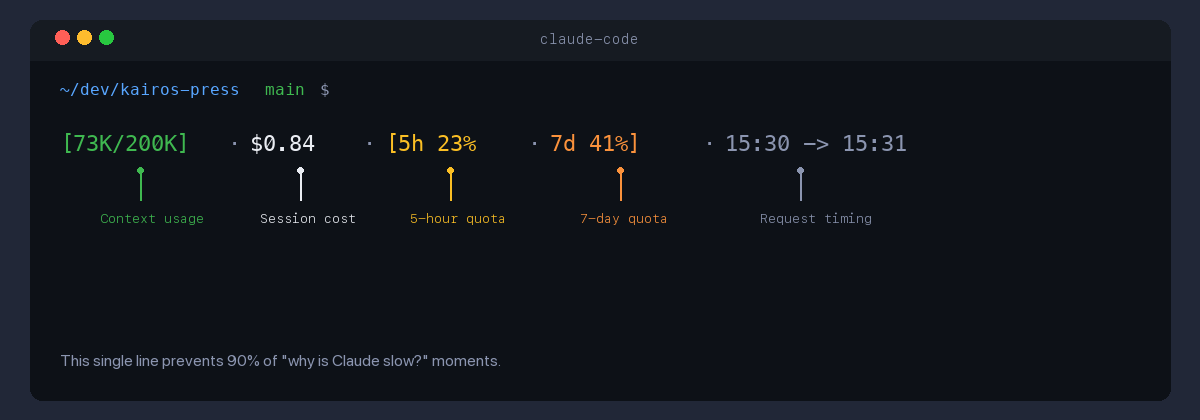
Context usage (color-coded), session cost, quota percentages for 5-hour and 7-day windows, and request/response timing. The quota data caches locally and refreshes every 5 minutes in the background.
This single line prevents 90% of “why is Claude slow?” moments. When 7d quota hits 70%, I shift subagents to Sonnet. When it hits 90%, Opus is for critical tasks only.
What Broke Along the Way
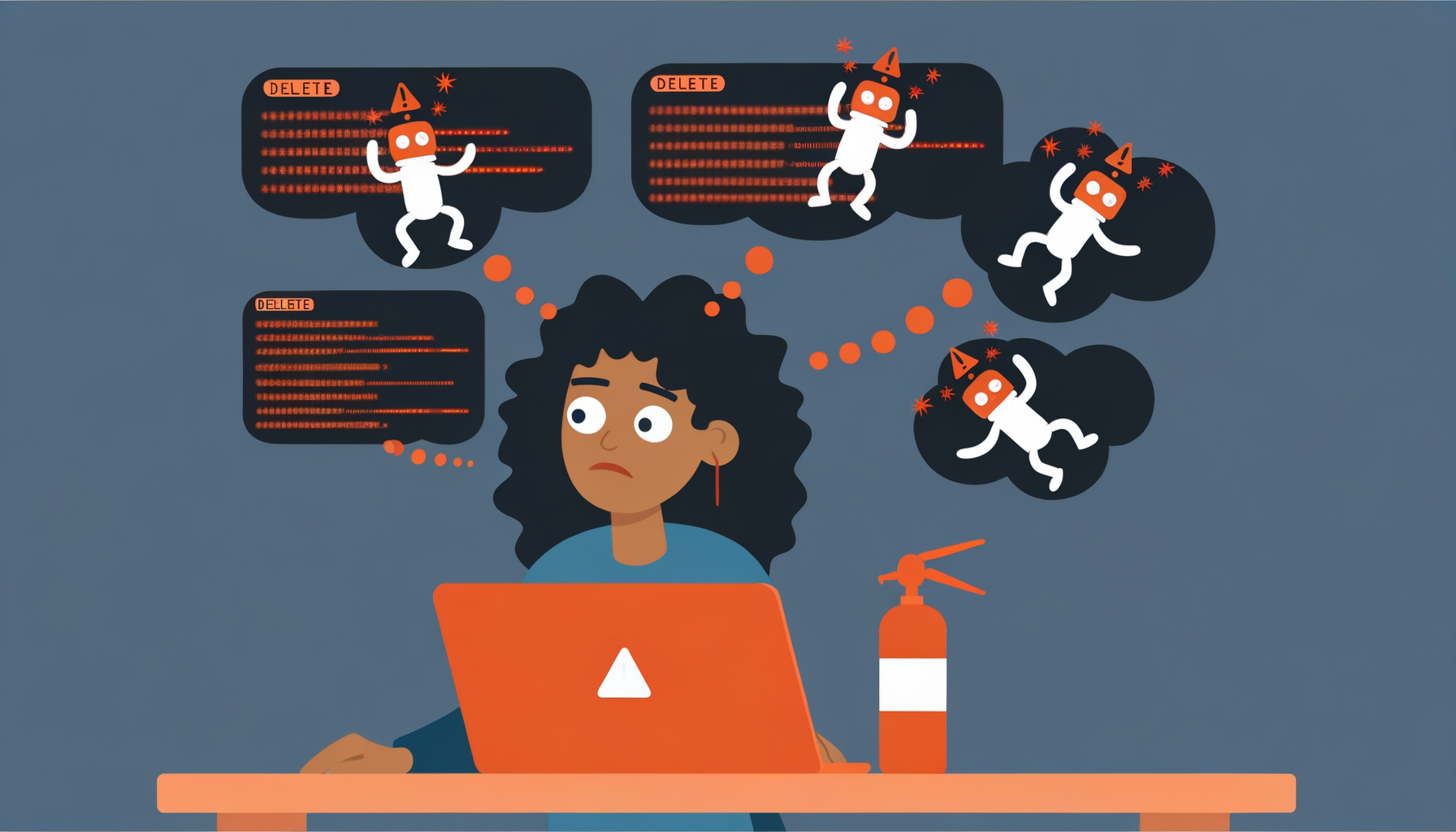
I’ve made this sound too smooth. Here’s what actually went wrong:
- Week 1: Wrote 20 skills before writing a proper CLAUDE.md. None of them worked consistently. Had to delete half and rebuild after establishing conventions.
- Week 3: Memory layers had no routing rules. Duplicate facts everywhere. Claude would argue with itself.
- Week 6: Hooks broke after a Claude Code update. All 14. I had no tests for any of them. Spent a full day rebuilding.
- Week 8: The autonomous team’s first overnight run deleted a branch. Now Guardian checks run in read-only mode by default.
- Ongoing: Quota management is a constant game. Heavy sessions burn through weekly limits. I’ve learned to ask “is this worth Opus?” before every complex task.
What I’d Do Differently
Start with CLAUDE.md, not skills. The foundation matters more than features. A well-written 50-line CLAUDE.md beats 20 mediocre skills.
Don’t over-agent. Some tasks are better as direct prompts. I have agents I rarely use because the setup overhead exceeds the time saved.
Memory routing from day one. I spent weeks untangling duplicated knowledge across layers. Establish the routing rules before you need them.
Hooks are underrated. Everyone builds skills first. Hooks are higher leverage — they run automatically, catch errors before they happen, and create feedback loops that compound.
Write tests for your hooks. I didn’t. I regretted it.
Is This Worth It?
I manage 13 projects solo. Content in two languages across four platforms. A crypto project being revived. A knowledge base. An autonomous agent team. A dev blog you’re reading right now.
A year ago, this would have required a team of 5. Now it requires one person with ADHD, a 400-line config file, an island in Thailand, and an unreasonable commitment to teaching an AI how they think.
The system isn’t perfect. The quota runs out. Agents hallucinate. Hooks break after updates. The autonomous team occasionally does something that makes me question whether giving AI agents write access to my repos was a good idea.
But the trajectory is clear: every hour invested in the setup saves ten hours downstream. And building the system is genuinely more fun than most of the tasks it automates.
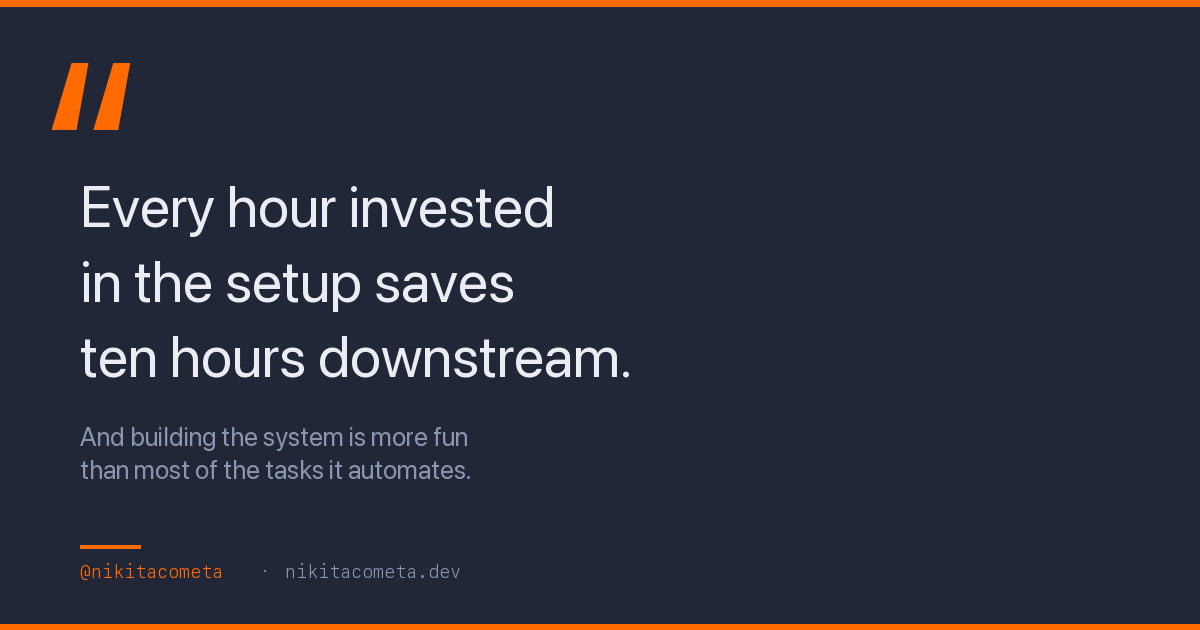
That might be the ADHD talking — the dopamine hit of building a new tool is always more appealing than using it for boring work. But at this point, the tool-building has become the work, and I’m not sure I’d want it any other way.
This post was written in Claude Code, reviewed by Claude Code, and will be deployed by Claude Code. The infographics were generated by a Python script that Claude Code wrote. The irony compounds.